
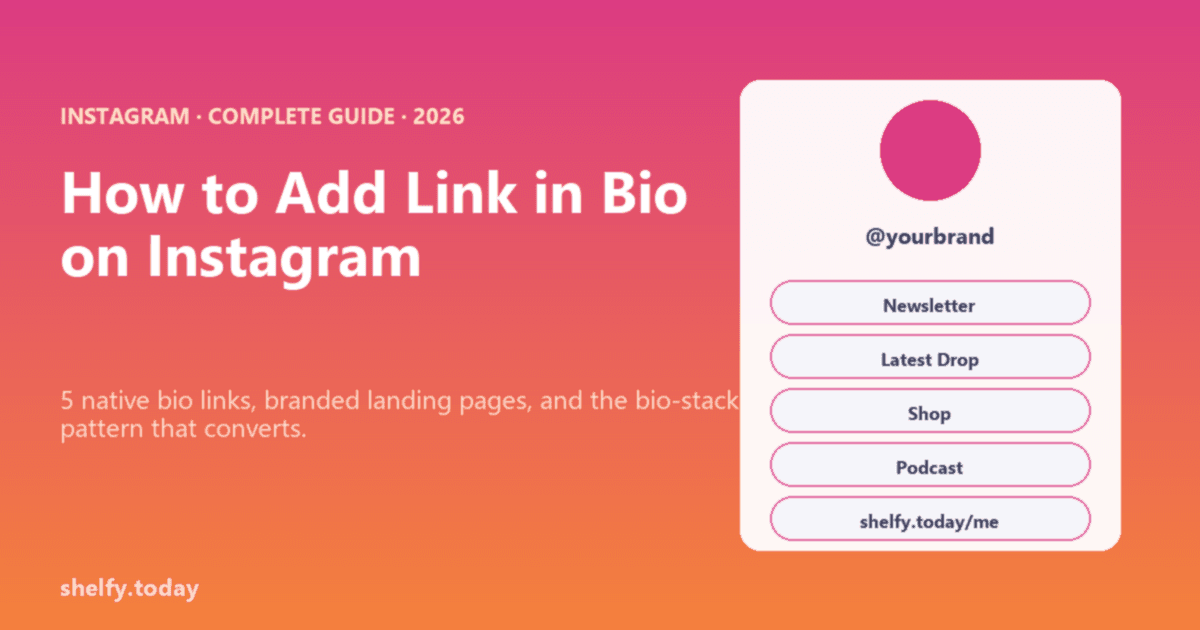
2026 update: Instagram now lets you add up to 5 links directly in your bio (the change rolled out in April 2023 and is stable in 2026). That changes the playbook. You no longer need a link-in-bio tool just to escape the one-link limit, but you still want one when you have more than 5 destinations, want analytics across them, or need a polished landing experience.
This guide covers both worlds: how to use Instagram's native multi-link bio properly, and when (and which) link-in-bio tool to layer on top.
Instagram's profile is the gateway to 500 million daily active users. Whether you are turning followers into email subscribers, customers, podcast listeners, or paying clients, the bio link is where the conversion starts.
Here's what most people get wrong: They treat the link in bio as an afterthought-a simple URL dump. Meanwhile, top creators and brands are using their single link to build empires.
This guide covers everything: how Instagram's link works, which tools to use, how to optimize for maximum clicks, and the strategies that actually convert followers into action.
Looking for the best link in bio tool for your needs? Or want to explore free link in bio options? We'll cover all your options below.
How Instagram's Link in Bio Works
The Basics
Instagram lets you add up to 5 clickable links in your profile bio (a change rolled out in April 2023, stable in 2026). The first link displays directly in your bio area; the rest appear when a visitor taps the primary link to expand the list. They appear below your bio text and above your highlight bubbles.
Important: You can only edit your Instagram bio from the mobile app-not from the desktop website or Instagram.com. This catches many new users off guard. Plan your bio text in a notes app first, then copy it over.
Where to Add It:
- Open the Instagram app on your phone (required)
- Go to your profile
- Tap "Edit Profile"
- Find the "Website" or "Links" field
- Add your URL
- Save
What You Can Link To:
- Any URL (websites, landing pages, other social profiles)
- Link-in-bio tools (Linktree, Beacons, Shelfy, etc.)
- Direct product pages
- Lead magnets
- Booking calendars
Instagram's Native Link Features
Multiple Links (Native Feature): Instagram now allows up to 5 links directly in your profile without third-party tools.
Important insight: The first link gets the most visibility and clicks-Instagram displays it prominently, while additional links require users to tap "more" to see them. Choose your first link wisely.
However, most serious creators and brands still use link-in-bio tools because:
- 5 links isn't enough for most use cases (and only the first gets prime placement)
- No analytics on native links
- No customization or branding
- No email capture
- Limited organization options
Link Stickers in Stories:
- Available to all accounts (previously required 10K followers)
- Add clickable links directly in Stories
- Swipe-up replaced by tap-to-open stickers
- Multiple stickers allowed per Story
Clickable Links in DMs: Links shared in direct messages are clickable-useful for personalized outreach.
Why Bio Links Matter So Much (Even With 5 Now)
The Math:
- Average Instagram engagement rate: 1 to 3 percent
- Average link click-through rate: 0.5 to 2 percent
- If you have 10,000 followers, maybe 50 to 200 will click your bio link
Every optimization matters. The difference between a 1 percent and 3 percent click rate could be 200 extra visitors per post that mentions your link.
With 5 native links, the question shifts. Instead of "which one link should I show?" you now ask: "what mix of 5 links covers my acquisition + activation + monetization paths?" A common 2026 bio stack:
- Newsletter signup (top of funnel)
- Latest product launch or release
- Your link-in-bio collection page (everything else)
- A platform-specific destination (TikTok, podcast, course)
- Contact / DM funnel
That said, native bio links have no analytics, no link styling, and no scheduling. When you need any of those, you still want a link-in-bio tool driving the click from at least one of the 5 slots.
Choosing the Right Link-in-Bio Tool
Quick Comparison
Not satisfied with Linktree? Check out our complete Linktree alternatives guide for more options.
| Tool | Best For | Price (2026) | Key Feature |
|---|---|---|---|
| Linktree | Simplicity, credibility | Free to $35/mo (after 2025 hike) | Industry standard |
| Beacons | Creators, all-in-one | Free to $90/mo | Built-in email/store |
| Shelfy | Organization, flexibility, teams | Free forever, no commerce fee | Multiple collections + public sharing |
| Stan Store | Selling products | $29/mo (no free tier) | Full storefront |
| Bio Sites by Squarespace | Aesthetic-first, free | Free | Squarespace polish |
| Shorby | Marketers, analytics | $15-99/mo | Retargeting pixels |
| Campsite | Visual brands | Free-$7/mo | Image-rich layouts |
| Bio.fm | Aesthetic focus | Free-$4/mo | Video backgrounds |
| Later's Linkin.bio | Instagram-native feel | Free-$40/mo | Shoppable feed |
Detailed Tool Breakdown
Linktree - The Industry Standard
Best For: Anyone wanting recognized, trustworthy link pages
Pros:
- Everyone knows it (instant credibility)
- Clean, simple interface
- Reliable uptime
- Good basic analytics
- Integrations with major platforms
Cons:
- Limited customization on free plan
- No multiple collections
- Advanced features require paid plans
- Generic appearance without branding
Pricing (2026):
- Free: Unlimited links, basic themes, 12 percent commerce fee
- Starter ($8/mo): Custom branding, 9 percent commerce fee
- Pro ($15/mo): Custom domain, advanced analytics, integrations, 9 percent commerce fee
- Premium ($35/mo, raised from $24 in 2025): Team features, priority support, 0 percent commerce fee
Use Linktree If: You want something simple that just works
Beacons - The All-in-One Platform
Best For: Creators who want email marketing + storefront + link page
Pros:
- Email marketing built-in
- Sell digital products
- Media kit generator
- Request forms
- Comprehensive free plan
Cons:
- Can be overwhelming with features
- Beacons branding on free plan
- Less recognized than Linktree
Pricing:
- Free: Full features with branding
- Creator ($10/mo): Remove branding
- Store ($30/mo): Advanced commerce
Use Beacons If: You want to consolidate tools and own your audience
Shelfy - The Smart Collections Platform
Best For: Anyone needing organization and flexibility
Why It's Different: Instead of one cluttered link page, Shelfy lets you create multiple organized collections. Perfect for creators with diverse content, businesses with multiple product lines, or anyone who hates link chaos.
Pros:
- Multiple collections (up to 300 free, unlimited on Pro)
- Community voting (let followers vote on content)
- Smart organization (categories, tags, search)
- Collection redirects (one URL that points to current content)
- Team collaboration (multiple editors)
- REST API (automate everything, Pro)
- Custom domains (links.yourbrand.com, Pro)
- Free forever core plan, Pro at $9/mo for extras
Cons:
- No built-in email capture (use dedicated tools)
- No embedded checkout
- Newer platform (less brand recognition)
Pricing:
- Free: $0 forever. Unlimited links, up to 300 collections, voting, teams, 30 days of analytics
- Pro ($9/mo or $79/yr): Custom domain, branding with no "Powered by Shelfy" badge, REST API, unlimited collections, 365 days of analytics
Use Shelfy If: You need organization, have multiple content types, or want powerful core features without monthly fees
Real Example: A lifestyle creator uses Shelfy collections:
- "Latest Content" → Current week's posts, videos, podcast
- "Shop My Favorites" → Affiliate links organized by category
- "Work With Me" → Sponsorship info, media kit, contact
- "Free Resources" → Lead magnets, guides, templates
One account, four organized collections, zero monthly fees.
If your audience overlaps Instagram and YouTube, the link in bio for YouTubers guide covers sponsor-rotation, gear lists, and multi-topic channel segmentation specifically for YouTube creators.
Stan Store - The Creator Commerce Platform
Best For: Selling digital and physical products
Pros:
- Full e-commerce built-in
- Digital product delivery
- Subscription support
- Affiliate tracking
- Clean checkout experience
Cons:
- $29/mo minimum
- Overkill if you're not selling
- Limited customization
Use Stan Store If: Your primary goal is selling products to your audience
Industry-specific guides: Check out our guides for musicians using link in bio and e-commerce brands.
Later's Linkin.bio - The Instagram-Native Option
Best For: Brands wanting shoppable Instagram feeds
Pros:
- Mirrors your Instagram grid
- Each post links to specific content
- Familiar visual experience
- Strong Instagram integration
Cons:
- Requires Later subscription for best features
- Less flexibility than dedicated tools
- Instagram-focused only
Use Linkin.bio If: Your content is highly visual and you want a shoppable feed
Setting Up Your Link in Bio (Step-by-Step)
Step 1: Choose Your Strategy
Before picking a tool, define your goal:
Primary Goal Options:
- 📧 Build email list → Need email capture
- 💰 Sell products → Need commerce features
- 📅 Book appointments → Need calendar integration
- 🎵 Promote content → Need media embeds
- 🔗 Share resources → Need organization
Your primary goal determines your tool choice.
Step 2: Select Your Tool
Decision Tree:
Need to sell products?
  → Yes: Stan Store or Beacons
  → No: Continue

Need multiple organized pages?
  → Yes: Shelfy
  → No: Continue

Need email marketing built-in?
  → Yes: Beacons
  → No: Continue

Want maximum simplicity?
  → Yes: Linktree
  → No: Consider Shorby (analytics) or Campsite (visuals)
Step 3: Set Up Your Page
Essential Elements:
Profile Photo
- Use same photo as Instagram (consistency)
- High resolution (400x400px minimum)
- Clear, recognizable
Bio/Headline
- One sentence value proposition
- What you do + who you help
- Example: "Helping busy moms meal prep in 30 mins/week"
Background/Theme
- Match your Instagram aesthetic
- Use brand colors
- Keep it clean (don't distract from links)
Link Hierarchy
- Most important link first
- Limit to 5-7 links
- Clear, action-oriented text
Step 4: Add Your Links
Link Priority Order:
| Position | What to Put | Why |
|---|---|---|
| 1 | Current promotion/primary CTA | Gets most clicks |
| 2 | Lead magnet or email signup | Capture visitors |
| 3 | Main offering (shop, book, etc.) | Core conversion |
| 4 | Social proof (testimonials, press) | Build trust |
| 5-7 | Secondary content | Additional value |
Link Text Best Practices:
❌ Bad: "Click here," "Link," "Website" ✅ Good: "Shop New Arrivals," "Get My Free Guide," "Book a Call"
Formula: Action Verb + Specific Benefit
Step 5: Connect to Instagram
- Copy your link-in-bio URL
- Go to Instagram → Edit Profile
- Paste in Website/Links field
- Save changes
Pro Tip: Use a custom domain for professionalism:
- Instead of:
linktr.ee/yourname - Use:
links.yourname.com
Most tools support custom domains ($10-15/year for domain)
Step 6: Test Everything
Before going live:
- ✅ Test on mobile (95% of Instagram traffic)
- ✅ Click every link
- ✅ Check load speed
- ✅ Verify tracking works
- ✅ Test on different devices
Optimizing Your Bio for Clicks
The Instagram Bio Formula
You have exactly 150 characters to convince someone to click. That's less than a tweet. Make them count.
The 150-Character Reality Check:
- "Helping entrepreneurs build profitable online businesses" = 55 characters
- Add an emoji and CTA? That's 70+ characters
- Social proof line? Another 30-40 characters
- You're nearly at the limit already
Every character must earn its place.
High-Converting Bio Structure:
[What you do] for [who you serve]
[Key benefit or transformation]
[Social proof or credibility]
👇 [CTA to click link]
Examples:
Creator:
Helping introverts build confidence
📚 1M+ books sold
🎙️ Top 50 podcast
Get my free confidence guide 👇
E-commerce: (See our complete link in bio for e-commerce guide for more strategies)
Sustainable fashion for conscious women
♻️ Plastic-free packaging
⭐ 10K+ happy customers
Shop new arrivals 👇
Coach: (Check out our link in bio strategies for coaches)
Business coach for creative entrepreneurs
💰 $10M+ client revenue generated
📅 Free strategy call
Book yours 👇
Bio Optimization Tactics
1. Use Line Breaks Strategically
Instagram compresses bios. Use periods or characters to force line breaks:
Line one.
Line two.
Line three.
Or use invisible characters (search "Instagram bio line break" for tools).
2. Include Relevant Keywords
Instagram bios are searchable. Include terms your audience searches for:
- "Fitness coach" not just "coach"
- "Vegan recipes" not just "food blogger"
- "Small business tips" not just "entrepreneur"
3. Add Social Proof
Numbers build credibility:
- "500K+ followers"
- "Featured in Forbes"
- "10K students enrolled"
- "4.9⭐ (2,847 reviews)"
4. Create Urgency (When Appropriate)
For limited offers:
- "🔥 Sale ends Friday"
- "⏰ Last 10 spots"
- "🎁 Free gift this week only"
5. Use Emojis Strategically
Emojis increase engagement but use sparingly:
- ✅ Guide the eye: "👇 Tap below"
- ✅ Add personality: "☕ Coffee addict"
- ❌ Overuse: "🔥💯✨🙌🎉💪"
The Link CTA in Your Bio
The last line of your bio should tell people what to do:
Effective CTAs:
- "Grab your free guide 👇"
- "Shop now 👇"
- "Book your free call 👇"
- "Watch the full video 👇"
- "Get started 👇"
Why the arrow emoji: It literally points to your link, reducing confusion.
Driving Traffic to Your Link
Content Strategy for Link Clicks
1. The "Link in Bio" Call-to-Action
In Captions: Every relevant post should mention your link:
- "Full tutorial in my link in bio"
- "Shop this look-link in bio"
- "Grab the free download (link in bio)"
In Stories:
- Use link stickers for direct access
- But also mention bio link (Stories expire, bio doesn't)
- "Saved this link in my bio for easy access"
In Reels:
- End with verbal CTA: "Link in bio to get started"
- Add text overlay pointing to bio
- Hook viewers to want more → link delivers
2. Content That Drives Clicks
High Click-Through Content Types:
| Content Type | Why It Works | Example |
|---|---|---|
| Teasers | Curiosity gap | "The tool that changed my business-link in bio" |
| Tutorials | Value + "more" | "Step 1-3 here, full guide in bio" |
| Before/After | Proof of results | "How I got here-link to my method" |
| Lists/Resources | Utility | "My 10 favorite tools-full list in bio" |
| Behind-the-Scenes | Exclusivity | "Full story on my blog-link in bio" |
3. Story Strategies
Story Sequence for Clicks:
- Hook Story: Attention-grabbing statement
- Value Story: Teach something useful
- Tease Story: "Want the complete guide?"
- CTA Story: Link sticker + "Tap here"
Link Sticker Best Practices:
- Make it obvious (don't hide in corner)
- Use action text: "GET THE GUIDE" not "Learn More"
- Add supporting text: "This free download helped 10K people"
Timing Your CTAs
When to Promote Your Link:
- ✅ When you have new content
- ✅ During launches or sales
- ✅ When content relates to your offer
- ✅ After providing value (reciprocity)
When NOT to Over-Promote:
- ❌ Every single post
- ❌ Without providing value first
- ❌ When content doesn't relate to link
The 80/20 Rule: 80% value content, 20% promotional CTAs
Analytics & Optimization
What to Track
Essential Metrics:
| Metric | What It Tells You | Target |
|---|---|---|
| Click-Through Rate | % of profile visitors who click | 3-8% |
| Top Links | What content resonates | Focus on winners |
| Traffic Sources | Where visitors come from | Double down on best |
| Device Type | Mobile vs desktop | Optimize for majority |
| Geographic Data | Where your audience is | Time your posts |
Setting Up Tracking
Basic (Free):
- Use your link tool's built-in analytics
- Check weekly for trends
- Note what content drove spikes
Intermediate (Free):
- Add UTM parameters to links
- Track in Google Analytics
- Attribute conversions to Instagram
UTM Parameters: Track Your Link Traffic
UTM parameters tell you exactly where your traffic comes from. Add them to every link in your bio page.
Standard UTM Format:
yoursite.com/page?utm_source=instagram&utm_medium=bio&utm_campaign=spring-sale
Essential UTM Parameters:
| Parameter | Purpose | Example Value |
|---|---|---|
utm_source | Traffic source | instagram |
utm_medium | Link location | bio, story, dm |
utm_campaign | Specific promotion | free-guide, spring-sale |
utm_content | Link variant (A/B testing) | button-red, button-blue |
Pro Tips:
- Use consistent naming conventions across all links
- Create separate UTM links for Stories vs bio
- Track which content types drive the most clicks
- Use Google's free Campaign URL Builder
Advanced (Paid tools):
- Install Facebook Pixel via Shorby
- Run retargeting campaigns
- A/B test different layouts
A/B Testing Your Link Page
What to Test:
Link Order
- Test: Primary CTA in position 1 vs. position 2
- Measure: Click rate on primary CTA
Link Text
- Test: "Free Guide" vs. "Download Now"
- Measure: Click rate on that link
Visual Elements
- Test: With profile photo vs. without
- Measure: Overall click-through rate
Number of Links
- Test: 5 links vs. 8 links
- Measure: Total conversions (not just clicks)
Testing Process:
- Change one element
- Run for 1-2 weeks
- Compare to baseline
- Keep winner, test next element
Advanced Instagram Link Strategies
1. The "Seasonal Redirect" Strategy
Problem: You want your bio link to always be relevant
Solution: Use a tool with redirect capability
Implementation:
- Create a permanent link:
links.yoursite.com/current - Redirect to whatever's most relevant:
- Normal days → Best content collection
- Launch week → New product page
- Sale period → Sale collection
- Event → Event registration
Tools: Shelfy (collection redirects), custom domain with redirect
2. The "Segmented Collections" Strategy
Problem: You serve multiple audiences or have diverse content
Solution: Create separate link collections for different purposes
Implementation:
links.yoursite.com/shop→ E-commerce focuslinks.yoursite.com/learn→ Educational contentlinks.yoursite.com/work-with-me→ Services/booking
Mention specific links in relevant content:
- Product post → "Shop link in bio"
- Tutorial → "Resources link in bio"
- Collaboration → "Work with me link in bio"
Tools: Shelfy (up to 300 free collections), Linktree (multiple pages on paid)
3. The "Voting/Engagement" Strategy
Problem: You want to know what content your audience wants
Solution: Let followers vote on your link page
Implementation:
- Add voting to your collections
- "Vote for what content you want next"
- Use voting data to guide content strategy
Benefits:
- Audience engagement
- Market research
- Social proof (vote counts visible)
Tools: Shelfy (built-in voting, free)
4. The "Pixel Retargeting" Strategy
Problem: 95%+ of visitors don't convert on first click
Solution: Retarget them with ads
Implementation:
- Install Facebook/Meta Pixel on your link page
- Create custom audience of link visitors
- Run retargeting ads:
- "Saw you checked out my page..."
- Product reminders
- Testimonials/social proof
- Convert at 3-5x higher rate
Tools: Shorby (built-in), or manual pixel installation
5. The "Team Collaboration" Strategy
For brands/businesses:
Problem: Multiple people need to update the link page
Solution: Use a tool with team access
Implementation:
- Marketing team updates promotions
- Social manager updates content links
- VA handles routine maintenance
- All without sharing login credentials
Tools: Shelfy (free team collaboration), Linktree (paid plans)
Platform-Specific Considerations
Instagram Business vs. Creator vs. Personal Accounts
Business Account:
- Access to full analytics
- Contact buttons (email, phone, directions)
- Can run ads
- Category label visible
Creator Account:
- Analytics access
- Category labels
- Monetization features
- Creator-specific insights
Personal Account:
- Limited analytics
- More privacy options
- No business features
Recommendation: Use Business or Creator account for serious link-in-bio strategy (better data).
Instagram's Algorithm and Link Clicks
Does linking affect reach?
- No direct penalty for having links
- But: Posts asking people to "click link" may get slightly less reach
- Solution: Provide value in the post, mention link naturally
Best Practices:
- Complete your caption before CTA
- Make the post valuable on its own
- Link mention should feel natural, not forced
Common Mistakes to Avoid
❌ Mistake 1: Too Many Links
The Problem: 15+ links overwhelm visitors
The Fix: 5-7 strategic links maximum. Every link should serve your goal.
❌ Mistake 2: Generic Link Text
The Problem: "Link 1," "Click Here," "Website"
The Fix: Action-oriented, specific text: "Get Your Free Guide"
❌ Mistake 3: Never Updating
The Problem: Links to old content, expired offers
The Fix: Weekly review. Update for current campaigns.
❌ Mistake 4: Ignoring Mobile
The Problem: Links work on desktop but not mobile
The Fix: Test everything on your phone first. Over 63% of social media traffic comes from mobile devices, and for Instagram specifically, it's even higher-most estimates put it at 95%+ mobile usage.
❌ Mistake 5: No Clear Hierarchy
The Problem: Most important link buried at bottom
The Fix: Primary CTA always first. Use visual emphasis.
❌ Mistake 6: Forgetting the Bio CTA
The Problem: Great link page, but bio doesn't mention it
The Fix: Last line of bio should direct to link: "Free guide 👇"
❌ Mistake 7: Not Tracking Results
The Problem: No idea what's working
The Fix: Check analytics weekly. Optimize based on data.
Case Studies
Case Study 1: Fitness Creator (0 → 10K Email Subscribers)
Starting Point:
- 45K Instagram followers
- Single link to website homepage
- No email list
Changes Made:
- Switched to Beacons with email capture
- Created free "7-Day Workout Plan" lead magnet
- Optimized bio: "Free workout plan 👇"
- Mentioned link in every fitness post
Results (6 Months):
- 10,247 email subscribers
- 22% of subscribers open emails
- 8% click through to products
- Revenue from email: $34K
Key Insight: The link is useless without a compelling reason to click.
Case Study 2: E-commerce Brand (3x Conversion Rate)
Starting Point:
- 28K followers
- Linktree with 12 random links
- 1.2% click-to-purchase rate
Changes Made:
- Reduced to 5 strategic links
- Featured bestseller prominently
- Added "Free shipping $50+" to bio
- Created urgency: "New arrivals 🔥"
Results (90 Days):
- Click-through rate: 6.8% (from 2.1%)
- Click-to-purchase: 3.7% (from 1.2%)
- Monthly Instagram revenue: $18K (from $6K)
Key Insight: Fewer, better links outperform link dumps.
Case Study 3: Content Creator (Multi-Collection Strategy)
Starting Point:
- 67K followers across niches
- One cluttered Linktree
- Confusion about what to click
Changes Made:
- Created Shelfy collections:
- "This Week's Content"
- "Favorite Products" (affiliate)
- "Work With Me"
- "Free Resources"
- Mentioned specific collections in relevant posts
- Used voting to gauge interest
Results (4 Months):
- Affiliate revenue: +147%
- Sponsorship inquiries: +89%
- Email signups: +234%
- Time organizing links: -80%
Key Insight: Organization reduces friction. Relevant links convert better.
Future of Instagram Links
What's Coming
Trends to Watch:
More Native Links
- Instagram may expand beyond 5 bio links
- Shopping integration deepening
- Link stickers becoming more powerful
AI Personalization
- Link pages that adapt to visitor behavior
- Personalized recommendations
Social Commerce
- Buy without leaving Instagram
- Deeper Shopify/e-commerce integration
Creator Monetization
- More built-in ways to earn
- Subscription features expanding
How to Stay Ahead
- Use tools that update features regularly
- Maintain flexibility (don't over-invest in one platform)
- Focus on owning your audience (email > followers)
- Test new features early
Your Action Plan
Week 1: Foundation
Day 1-2: Strategy
- Define your primary goal
- Choose your tool
- Plan your link hierarchy
Day 3-4: Setup
- Create your link page
- Add 5-7 strategic links
- Match your branding
Day 5-7: Optimize Bio
- Rewrite bio with formula
- Add clear CTA
- Test on mobile
Week 2: Promotion
Daily:
- Mention link in relevant posts
- Use link stickers in Stories
Twice Weekly:
- Create content specifically designed to drive clicks
- Test different CTAs
Week 3+: Optimize
Weekly:
- Review analytics
- Update links for current campaigns
- Test one element
Monthly:
- Major strategy review
- Content calendar for link promotions
- A/B test layout changes
Conclusion
Your Instagram link in bio is the highest-leverage real estate in your social media presence. One link. Unlimited potential.
Quick Decisions:
| Your Situation | Best Tool | First Step |
|---|---|---|
| Just starting | Linktree (free) | Set up 5 links |
| Need organization | Shelfy (free) | Create collections |
| Want email marketing | Beacons (free) | Add lead magnet |
| Selling products | Stan Store ($29) | Feature bestseller |
| Running ads | Shorby ($15+) | Install pixel |
Remember:
- One compelling link beats 15 mediocre ones
- Update regularly for relevance
- Track everything, optimize continuously
- Provide value first, ask for clicks second
Your followers are waiting. Your link in bio is ready.
Now go optimize it and start converting.
FAQ
How do I add a link to my Instagram bio in 2026?
Open Instagram, tap your profile, tap Edit Profile, and paste a URL into the Links field. Instagram supports up to 5 links in bio (rolled out April 2023, stable in 2026). The first link displays directly in your bio area; tap to expand and see the rest. For more than 5 links or a branded landing page, use a link-in-bio tool like Shelfy, Linktree, or Beacons and put one of those 5 slots toward your link-in-bio URL.
Can I have multiple links in my Instagram bio?
Yes. Instagram lets you add up to 5 links directly in the bio (since April 2023). The 5-link feature is stable in 2026. Most creators still use a link-in-bio tool because it gives you a branded page, analytics, custom titles, unlimited destinations, scheduling, and the ability to update without editing your Instagram profile each time. A common 2026 pattern: put your newsletter signup, latest launch, and link-in-bio collection page in the 5 native slots, then route everything else through the link-in-bio tool.
What is the best link in bio tool for Instagram in 2026?
It depends on what you sell. Shelfy is the strongest free pick (free forever core plan, no commerce fee, multiple collections). Linktree wins on brand recognition and audience trust. Beacons is best for creators selling courses or digital products with native commerce. Stan Store is purpose-built for digital product sales but has no free tier. Bio Sites by Squarespace is the cleanest free option without forced branding.
Further Reading
Explore more link in bio strategies for your specific needs:
- Best Link in Bio Tools: Complete Comparison - In-depth analysis of every major platform
- Free Link in Bio Tools - Best options that won't cost you a dime
- Linktree Alternatives - When the industry standard isn't right for you
- Link in Bio for E-commerce - Convert social followers into paying customers
- Link in Bio for Coaches - Book more clients from Instagram
- Link in Bio for Musicians - Promote your music, tours, and merch
- Link Curation Guide - Master the art of organizing your links